All DashAI WordPress Plugin

Scale Your Agency Workflow with One AI-Powered WordPress Dashboard

All DashAI helps agencies reduce manual work, identify issues early and manage WordPress projects more efficiently with AI-powered insights and automation.

  • ✔ AI-powered summaries and actionable insights
  • ✔ Built for real agency workflows and client projects
  • ✔ Smart reporting included
What You Get

Power Your WordPress Workflow with AI-Driven Tools

  • All DashAI generates intelligent project summaries directly inside your WordPress dashboard.

It analyzes repositories, Jira activity, Google Analytics data, system health, and logs independently — transforming operational signals into concise, executive-ready insights with actionable recommendations.

  • AI-powered project insights
  • Independent analysis of
    each data source
  • Clear visibility for agency teams

AI-Powered WordPress Analytics & Reporting


Turn GA4 and traffic data into clear, AI-powered insights inside your WordPress dashboard. All DashAI analyzes performance trends and user behavior to generate actionable summaries and prioritized growth recommendations.

AI-Driven Reports & Collaboration

Generate clear, actionable summaries and executive-level insights for your team or clients using real data. Get strategic reports covering system health, error patterns, commit insights, traffic performance, workflow analysis, and more — with PDF export to share findings across your organization.

Centralized Project Resources Hub

All Dash AI gives your team a single organized space to manage everything related to a WordPress project.

Store essential links, environments, documentation, repositories and team contacts in one place — reducing context switching, improving onboarding and eliminating time wasted searching across multiple tools.

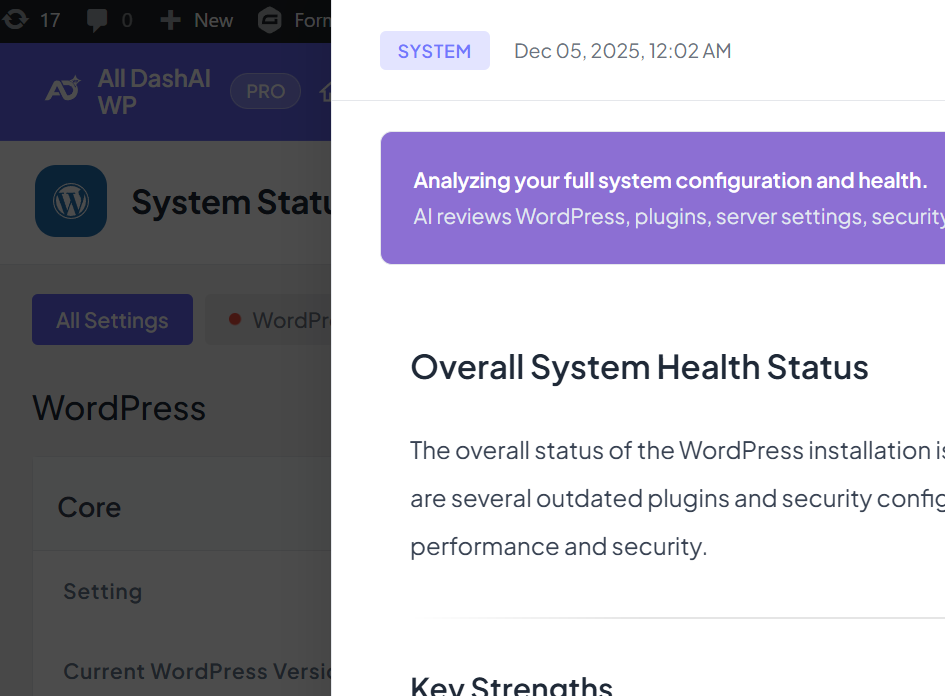
AI-Powered WordPress System Health Overview

All DashAI analyzes WordPress, PHP and database versions, active theme and plugins, security-related signals and configuration status — helping you quickly identify risks, outdated components and optimization opportunities before maintenance or deployment.

  • AI-Powered White-Labeled PDF Reports for WordPress Projects

All DashAI transforms your WordPress project data into AI-powered PDF reports ready for clients and stakeholders.

Each report automatically analyzes system health, logs, resources and connected integrations like Jira, repositories and analytics — generating executive summaries, key highlights and actionable recommendations.

With built-in white labeling, your agency branding is applied automatically, allowing you to deliver professional AI-generated reports in just one click.

How It Works

How All DashAI Brings AI Intelligence to Your WordPress Workflow

01

Connect Your Tools

Link GitHub, Bitbucket, GA4, Jira, and OpenAI securely via OAuth or tokens. Configure in minutes.

02

Control Dashboard Visibility

Manage access with granular permissions by user, domain, or role. Control section-level access.

03

Generate AI Project Insights

Generate structured AI summaries directly inside your dashboard — with clear signals and actionable recommendations.

04

Collaborate with Your Team

Enable team members with custom permissions. Share branded PDF reports.

Global Reach, Local Precision

Deliver Multilingual AI Reports for International WordPress Projects

Scale your agency operations globally with AI-generated reports available in multiple languages.

All DashAI automatically generates multilingual summaries, insights and recommendations — allowing you to deliver localized, professional reports to clients and teams without manual translation.

Choose your Plan

Flexible Pricing Plans for WordPress Agencies

Upgrade to All DashAI PRO and give your agency the clarity, confidence, and momentum to grow faster.
Spend less time chasing data and more time delivering results that impress clients, build trust, and increase recurring revenue.

Essential (03 Sites)
$29.00
/month
(billed annually)

Perfect for freelancers and small teams managing a few WordPress client projects.

  • OpenAI BYOK (Use your own API key)
  • Unlimited commits with AI analysis
  • Unlimited Jira tickets with AI insights
  • GA4 analytics with custom date ranges
  • AI-powered system health insights
  • PDF export with white-label branding
  • 200 logs with AI analysis
  • CI/CD (GitHub & Bitbucket)
  • Multilingual AI reports (25+ languages)
Professional (10 Sites)​
$59.00/month
 

(billed annually)

Built for growing agencies managing multiple WordPress client projects.

  • OpenAI BYOK (Use your own API key)
  • Unlimited commits with AI analysis
  • Unlimited Jira tickets with AI insights
  • GA4 analytics with custom date ranges
  • AI-powered system health insights
  • PDF export with white-label branding
  • 200 logs with AI analysis
  • CI/CD (GitHub & Bitbucket)
  • Multilingual AI reports (25+ languages)
Agency (30 Sites)
$99.00
/month

(billed annually)

Designed for established agencies managing large WordPress portfolios.

  • OpenAI BYOK (Use your own API key)
  • Unlimited commits with AI analysis
  • Unlimited Jira tickets with AI insights
  • GA4 analytics with custom date ranges
  • AI-powered system health insights
  • PDF export with white-label branding
  • 200 logs with AI analysis
  • CI/CD (GitHub & Bitbucket)
  • Multilingual AI reports (25+ languages)
Why Agencies Choose All DashAI

Save Time, Standardize Workflows and Scale WordPress Projects

Instead of jumping between tools, documents and dashboards, your team gets one centralized workspace that speeds up onboarding, improves internal communication and makes project status instantly clear.

AI That Saves Your Team Time

All DashAI transforms technical signals into structured, actionable insights inside your WordPress dashboard.
Your team gets clear visibility into logs, commits, Jira activity and analytics — without manual digging or scattered tools.

Client-Ready Insights That Speak Business Language

All DashAI turns complex technical data into clear, executive-ready summaries. Share project status, risks and next steps with clients and stakeholders without translating technical details manually.

Full Control Over Who Sees What

Assign access by role and keep your WordPress operations organized and secure. All DashAI lets agencies control what each team member or client can view — preventing information overload and protecting sensitive project data.

Fix Issues Faster with AI-Powered Error Analysis

All DashAI helps your team go straight to the root cause instead of wasting time debugging symptoms. Get prioritized fixes, clear explanations and actionable recommendations that speed up resolution and reduce downtime.

Keep Projects Moving with Workflow Intelligence

Get instant visibility into project progress and team performance. All DashAI identifies bottlenecks, tracks delivery patterns and highlights priorities — helping agencies keep teams aligned and projects on schedule.

Global Clients Feedback

Why Agencies Choose All DashAI WordPress Plugin

Integrations & Tools

Connect All Your Project Tools Into One WordPress Control Center

Support & Help

Everything You Need to Know Before
Getting Started

Find quick answers about setup, integrations, AI usage, security, licensing and pricing — so you can get up and running with confidence.

Do I need an OpenAI API key to use All DashAI?
You can use All DashAI without an OpenAI key to access the dashboard and view connected data.
However, AI-powered features like summaries and insights require your own OpenAI API key.
How do I connect GitHub, Bitbucket, Jira and Google Analytics?

Integrations are set up inside WordPress. GitHub, Bitbucket and Jira support OAuth or tokens. GA4 is connected securely using OAuth.

Are my data and credentials secure?

Yes. Your credentials and integration tokens are stored inside your WordPress installation and encrypted using WordPress security keys.

All DashAI only accesses external services (GitHub, Bitbucket, Jira, GA4 and OpenAI) after you explicitly authorize each connection.

You remain fully in control of your data.

Can I give clients access without exposing everything?

Yes. All DashAI includes granular access control.

Inside Settings → Access Control, you can restrict access by email or domain and choose exactly which sections each client can view (for example: only System, Resources or Email Digests).

This allows you to share project visibility without exposing internal operations.